Institutional Memory
Verra gives each engagement a project, brings the firm's documents together from its existing data sources and writes down its methods as skills, so new work builds on what the firm has already done.
A Project for Each Engagement
A project holds the brief, the members, the tasks, and the chats and files the team shares there. Chats started inside it begin with its knowledge, instructions and memory.

Shared Chats
Share a chat with the project's members, who can read it and carry it on in a chat of their own.
Tasks
Track the engagement's tasks as a list or a board.
The Project Library
Chats, files, knowledge, skills and the project's memory sit together, and members choose which of Verra's notes the whole team sees.
Knowledge From the Firm's Own Sources
Make a knowledge base for a client, a practice or a body of past work. Fill it from the firm's existing folders and sites, or upload files, and share it with the people who need it.

Kept in Step
Synced folders pick up new files, edits and deletions.
Every Common Format
Documents, slides, spreadsheets, scans and email are all read, older formats included.
Shared by Choice
A knowledge base reaches only the people and groups it's shared with.
The Firm's Methods, Codified
Save how the firm runs a task as a skill and call it with a slash in any chat. Keep a skill to yourself, or share it with a group, a project or the whole firm.
Built-In Skills
Verra comes with skills for service lines such as due diligence, valuation and disputes.
Brought In When Needed
Verra can bring in a skill by itself when the work needs it, so no one has to remember to ask.
Shared Across the Firm
A skill can be personal, for a group or project, or firm-wide.


“It's the first place our teams look when they need something the firm has done before.”
Other Parts of Verra
Sourced Analysis
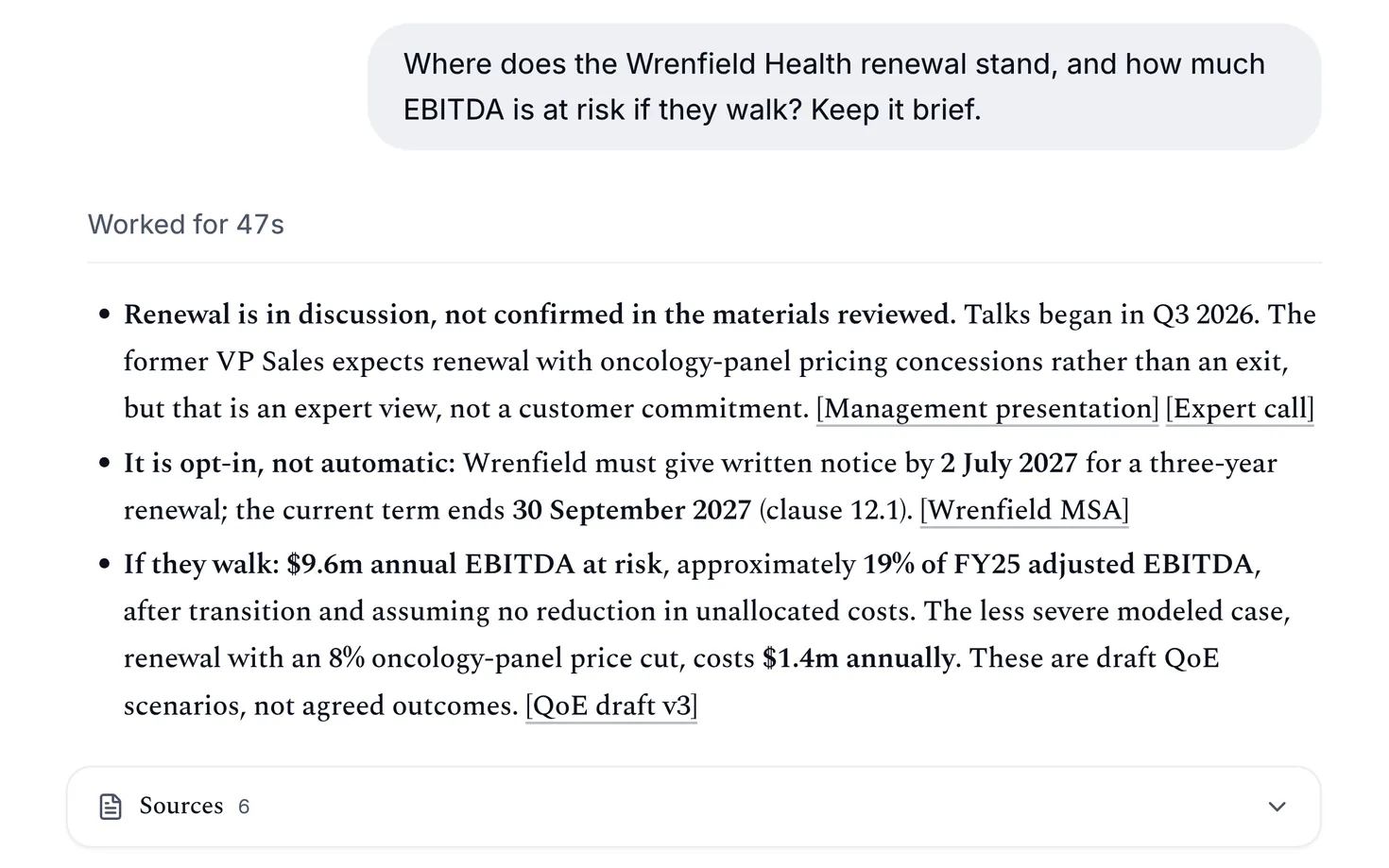
Answers from the firm's files, each citing its sources, and the Agent Data Workspace, which reads every document in a knowledge base.
Learn More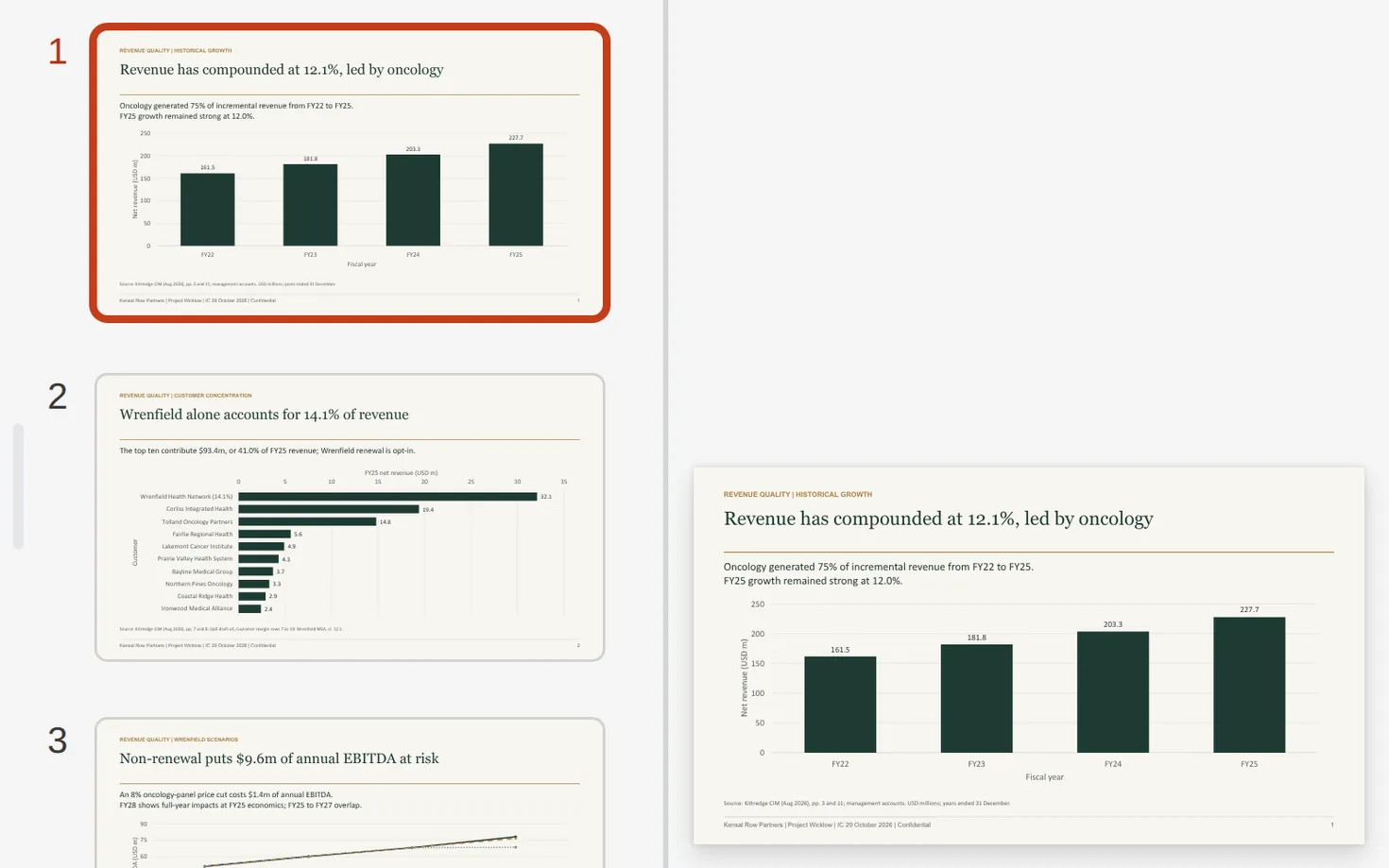
Client Deliverables
The artifacts your firm needs, including docs, slides and spreadsheets, built to a professional standard and finished in the browser or on the desktop.
Learn MoreGovernance and Control
Sign-in through the firm's identity provider, groups and admin roles, settings for who sees and uses what, and usage by team.
Learn More

